
Bring them home
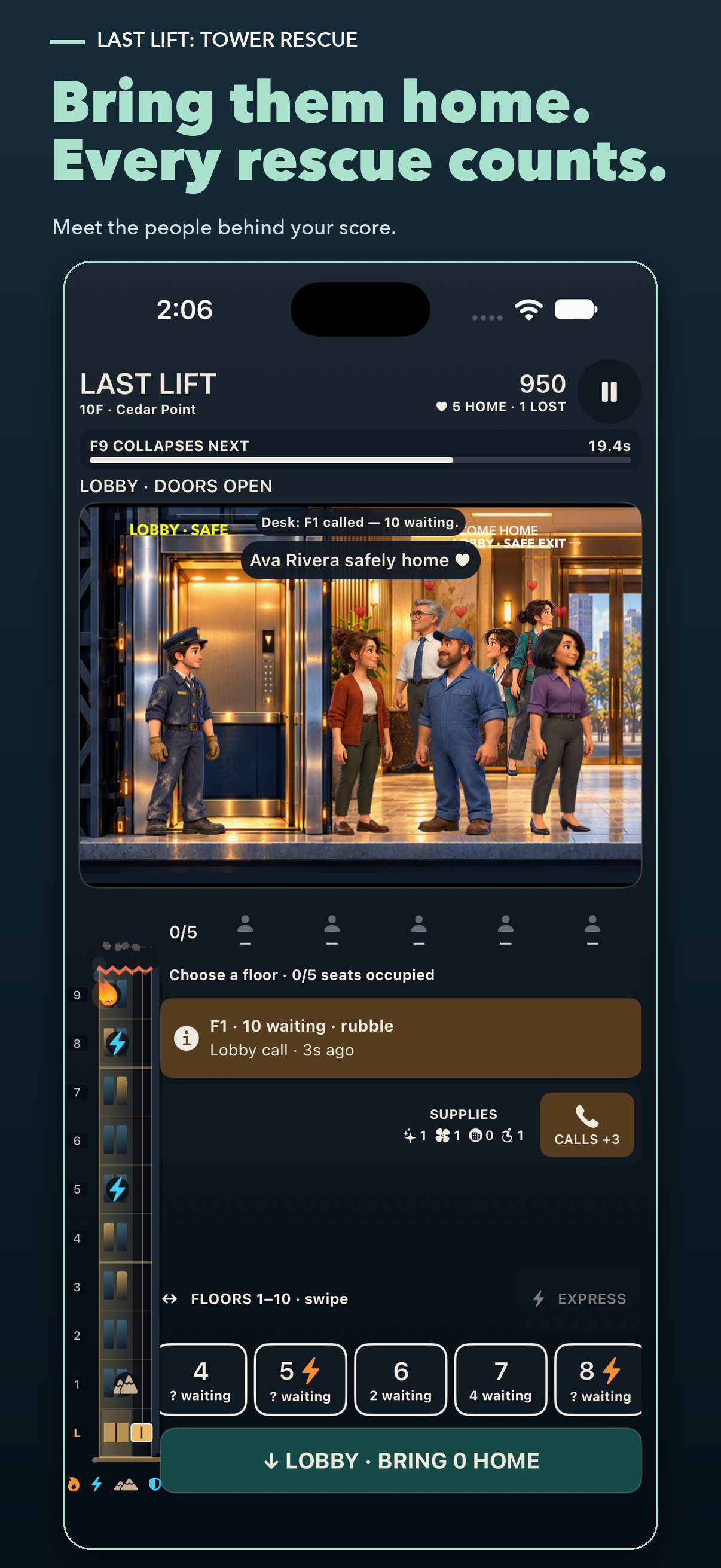
Choose a floor, let passengers reach the elevator, then return to the lobby. Children, adults, and elderly neighbors move at different speeds. Your survivor roll call remembers the people you saved.

Last Lift: Tower Rescue · Coming soon for iPhone
Take control of the last working elevator in a collapsing tower. Five passenger seats. Neighbors counting on you. Every departure is a decision, and every rescue has a name.
Choose a floor, let passengers reach the elevator, then return to the lobby. Children, adults, and elderly neighbors move at different speeds. Your survivor roll call remembers the people you saved.
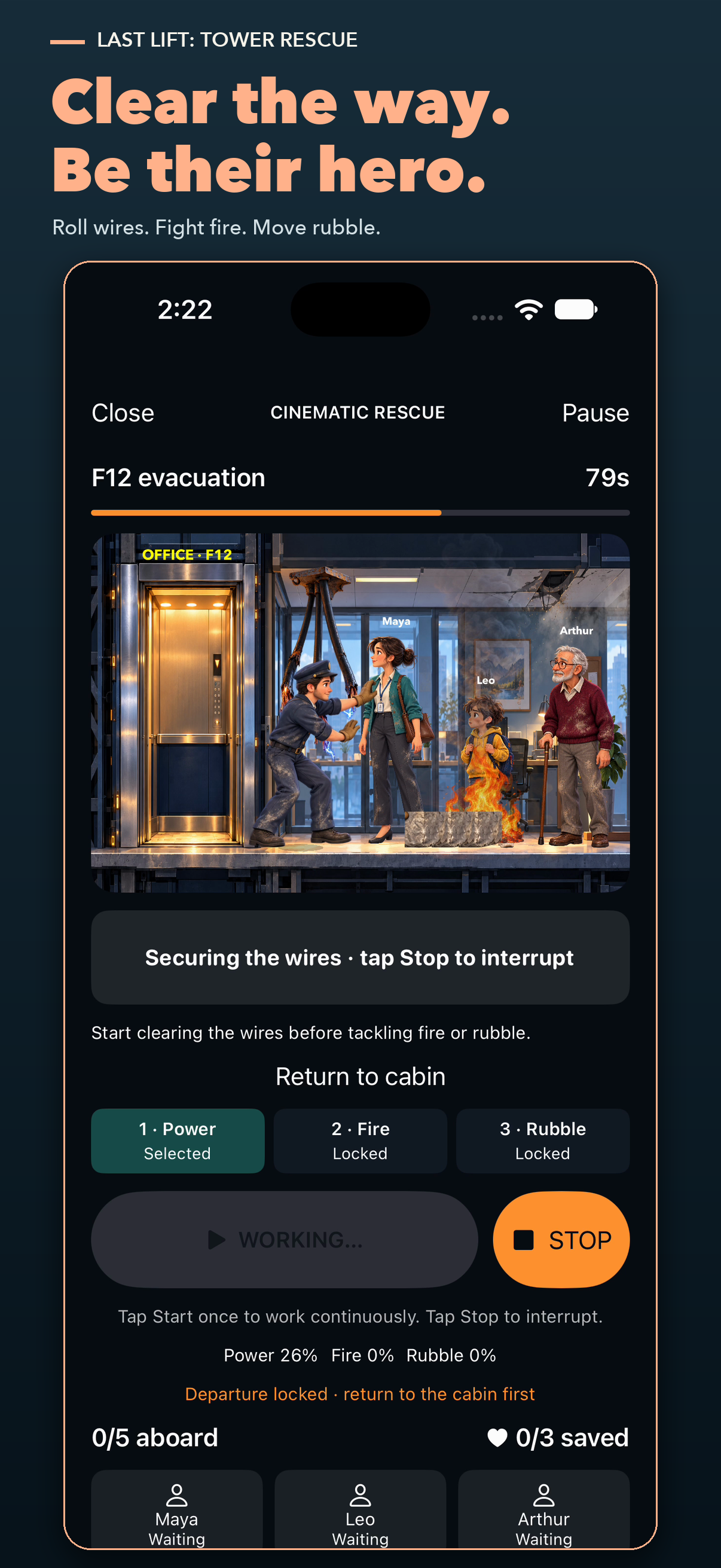
Step out to move rubble, roll wires out of the way, and fight fires. Watch the countdown, manage the doors, and get back inside before departure.
Choose short, standard, or marathon runs in randomized towers of up to 50 floors. Assisted mode offers rescue guidance. Challenge mode tests your judgment with extra hazards and warned chain collapses.
Find Multiplayer right on the menu. Invite a Game Center friend or choose Auto-Match. Play the same 10-floor tower separately, send your score, and compare results. You don’t have to be online together.
Watch actual gameplay: secure the wires, fight a fire, carry rubble aside, then bring a full elevator home.
See Last Lift: Tower Rescue in action
Step out. Clear the path. Get everyone aboard. Each trip asks how long you dare to wait.
28 seconds of real gameplay, edited for length at normal speed. Music plays when you press Play.
From a crowded cabin to the people waiting at home. Tap a screenshot to view it full size.
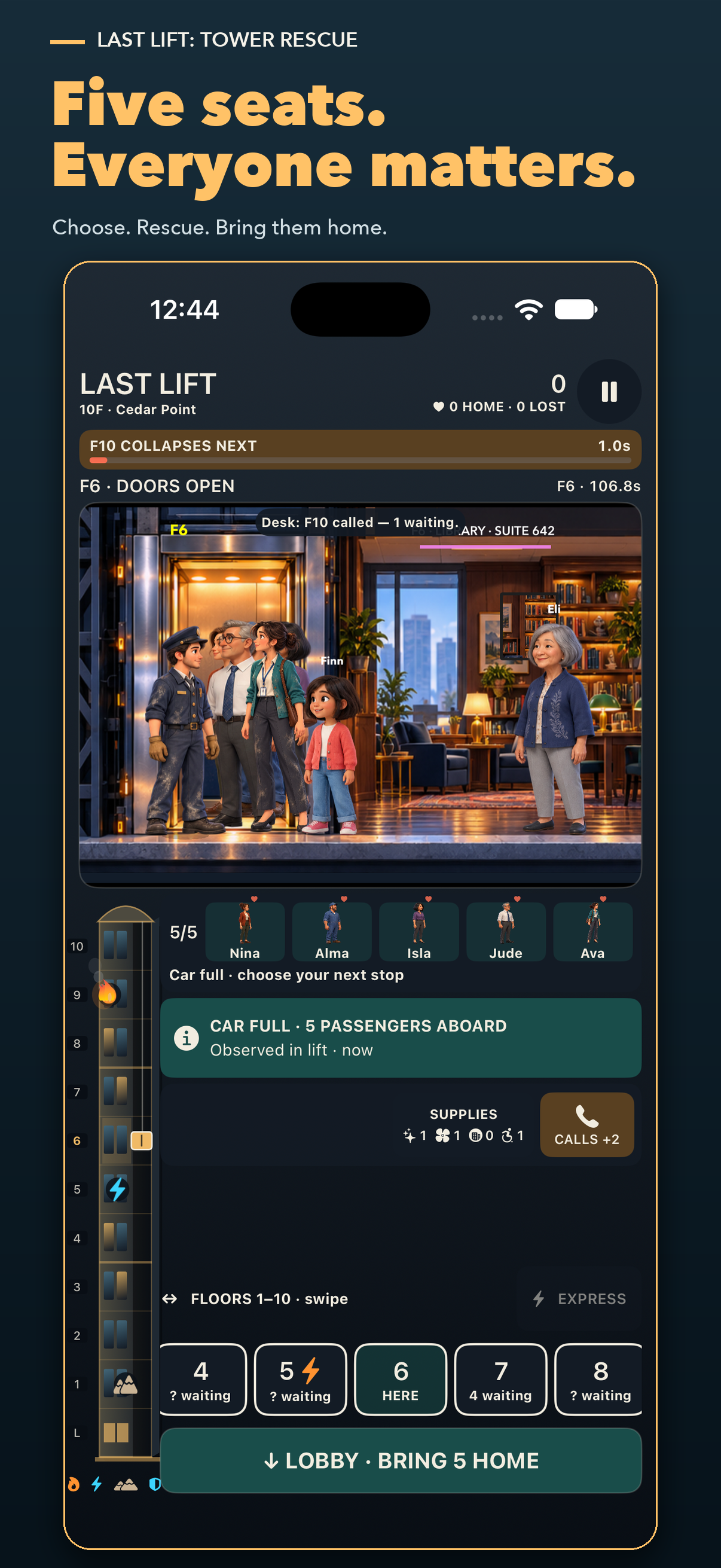
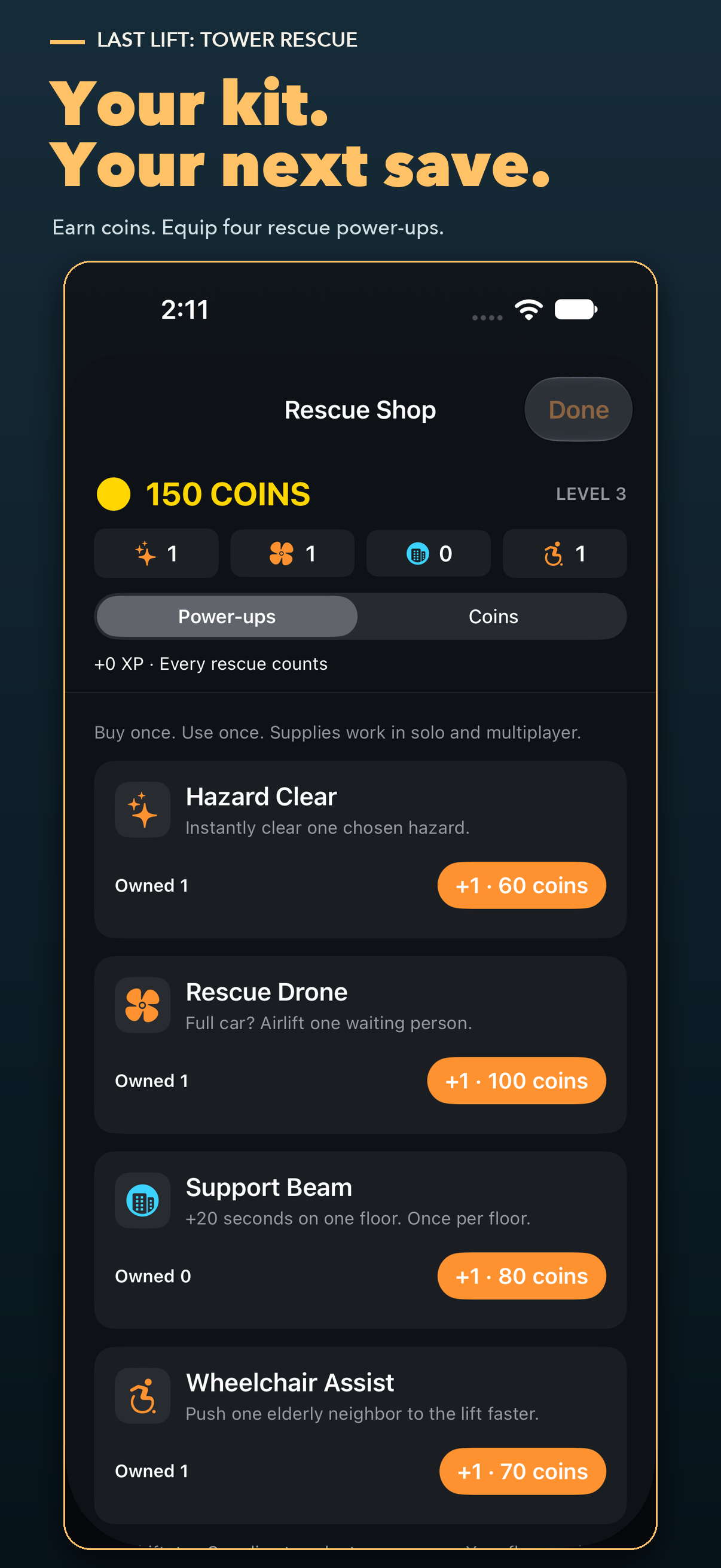
Earn XP and coins as you level up. Spend coins on Hazard Clear, Rescue Drone, Support Beam, and Wheelchair Assist. Your first real shift includes one of each power-up. Replayable tutorials and free power-up practice let you learn without spending supplies.
The game is being prepared for App Store release. Optional coin packs are planned at US $0.99 for 500 coins, $1.99 for 1,500, and $4.99 for 4,000. Apple shows your storefront’s price before purchase. Coins and supplies are stored on your iPhone and do not sync across devices.